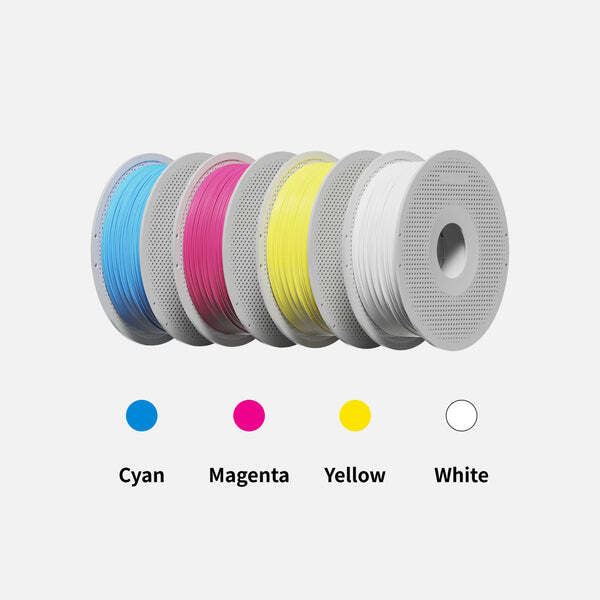
Bambu Lab PLA CMYK Lithophane Bundle (Spool)
or 4 payments of $35.99 with
 Info
Info
Reseller, Corporate or Goverment Buyer?
Government and Education
3DPrintergear has been supplying government organisations with 3D printers, services and support since 2012. As an approved government customer you will automatically be entitled to 30-day terms with an official purchase order.
If you would like to create an account, please contact us on 1300 334 327, or at admin@3dprintergear.com.au
Resellers
Want to become a reseller?
3DPrintergear offers special pricing to genuine resellers. Once your application is approved, your new buying prices will be shown on our website after you login. To apply for a resellers account please contact us at admin@3dprintergear.com.au
Free Pick-Up From Store - FREE
- Photo ID Required For All Pickup Orders
- Free pick-up from '781 High St, Reservoir VIC 3073', during opening hours
- Call Us 1300 334 327 if Urgently Required
- Express Dispatch
- Australian Owned & Operated
- Money Back Guarantee
- Quality Assured Products
Acknowledgement
We would like to send our sincere thanks to Lithophane Maker, who made great contributions to the lithophane printing groups. It has never been easier to create stunning color lithophanes that will leave a lasting impression with their amazing image-to-stl generator.
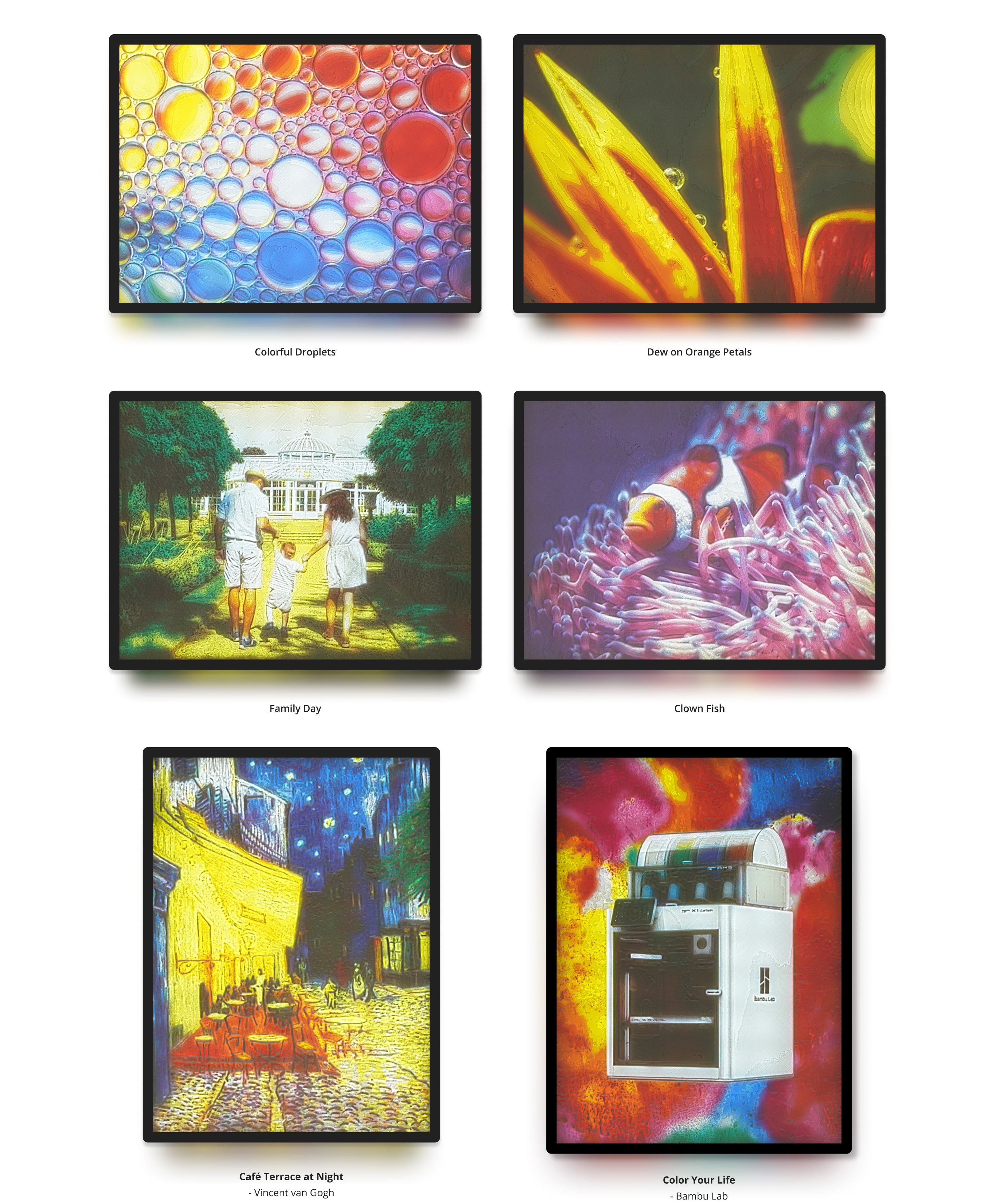
Bring colors to your lithophane

Make them into 3D pieces of art
Quick Walkthrough
#1 Get your printer ready
| Printer with AMS | Bambu Lab Printers |
| AMS (Automatic Material System) | |
| Filaments (Hexcode#) | PLA Basic Cyan #0086D6 |
| PLA Basic Magenta #EC008C | |
| PLA Basic Yellow #F4EE2A | |
| PLA Basic Jade White #FFFFFF | |
| Nozzle | 0.2 mm (Recommended) |
| or 0.4 mm | |
| Build Plate | Bambu Cool Plate |
| Bambu High Temperature Plate (PEI) | |
| Bambu Dual-Sided Textured PEI Plate |
#2 Generate STL files and print

1. Upload your favourite JPG image to Lithophane Maker and configure

2. Create STL files and download

3. Set up in Bambu Studio and slice

4. Load filaments into corresponding AMS slot and print!
For a step-by-step guide, check out the CMYK Lithophane Printing Guide.
#3 Get the lithophane printed and lighten it up
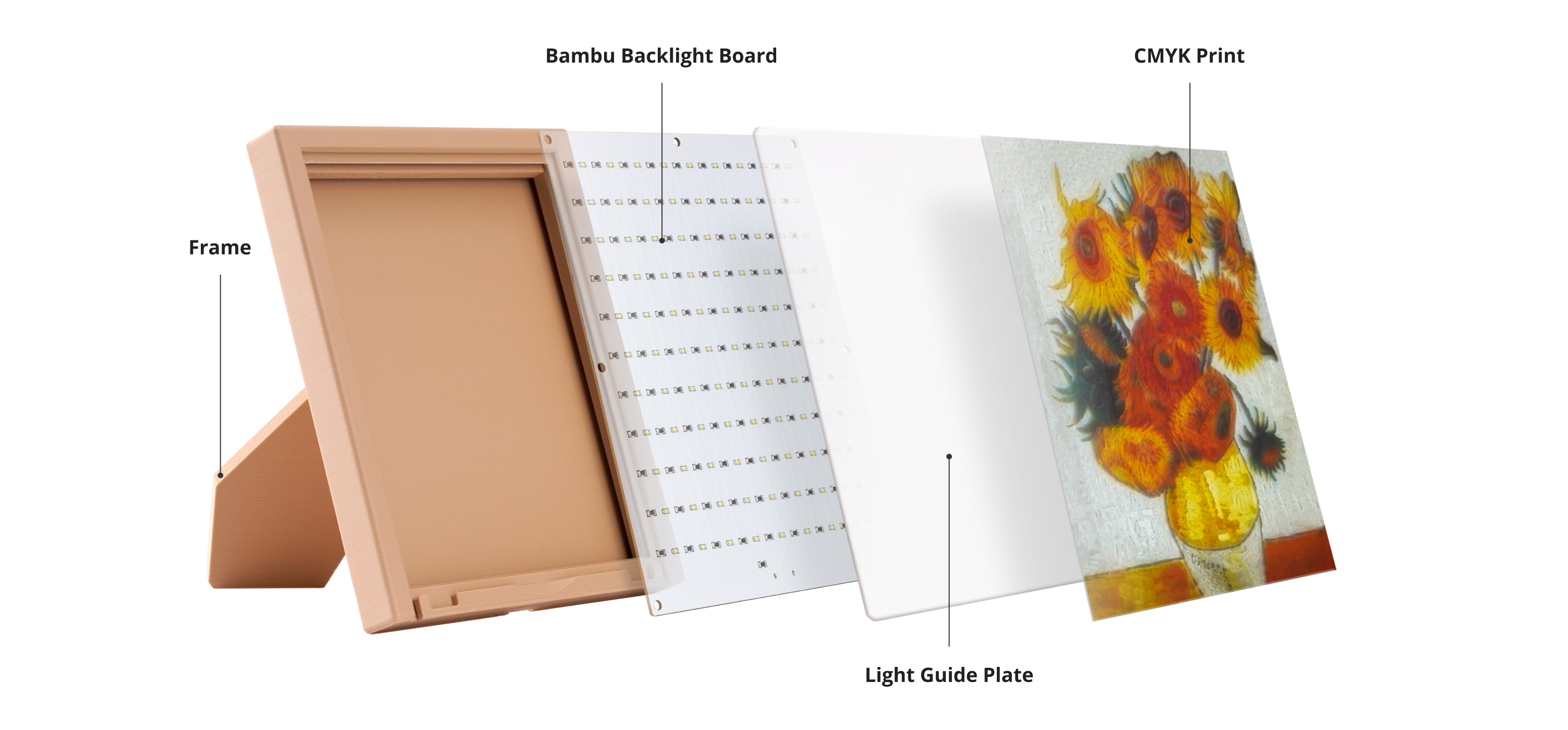
For more information on Bambu CMYK LED Backlight Board.
Download Frame and Light Guide Plate.
Printing Tips
Smaller nozzle sizes and lower layer heights are essential to achieve better printing results. We suggest using 0.2mm or 0.4mm nozzle sizes and layer heights between 0.08mm and 0.12mm. Check CMYK Lithophane Printing Guide on Wiki.
Due to the limitations of printing layers and resolution, there may be some color deviation between the actual image and the lithophane prints.
To prevent warping, the recommended heated bed temperature is between 45-50?.
(55261)
| SKU | 55261 |
| Barcode # | 6975337038641 |
| Brand | Bambu Lab |
| Shipping Weight | 6.0000kg |
| Shipping Width | 0.230m |
| Shipping Height | 0.220m |
| Shipping Length | 0.295m |
Be The First To Review This Product!
Help other 3DPrintergear users shop smarter by writing reviews for products you have purchased.