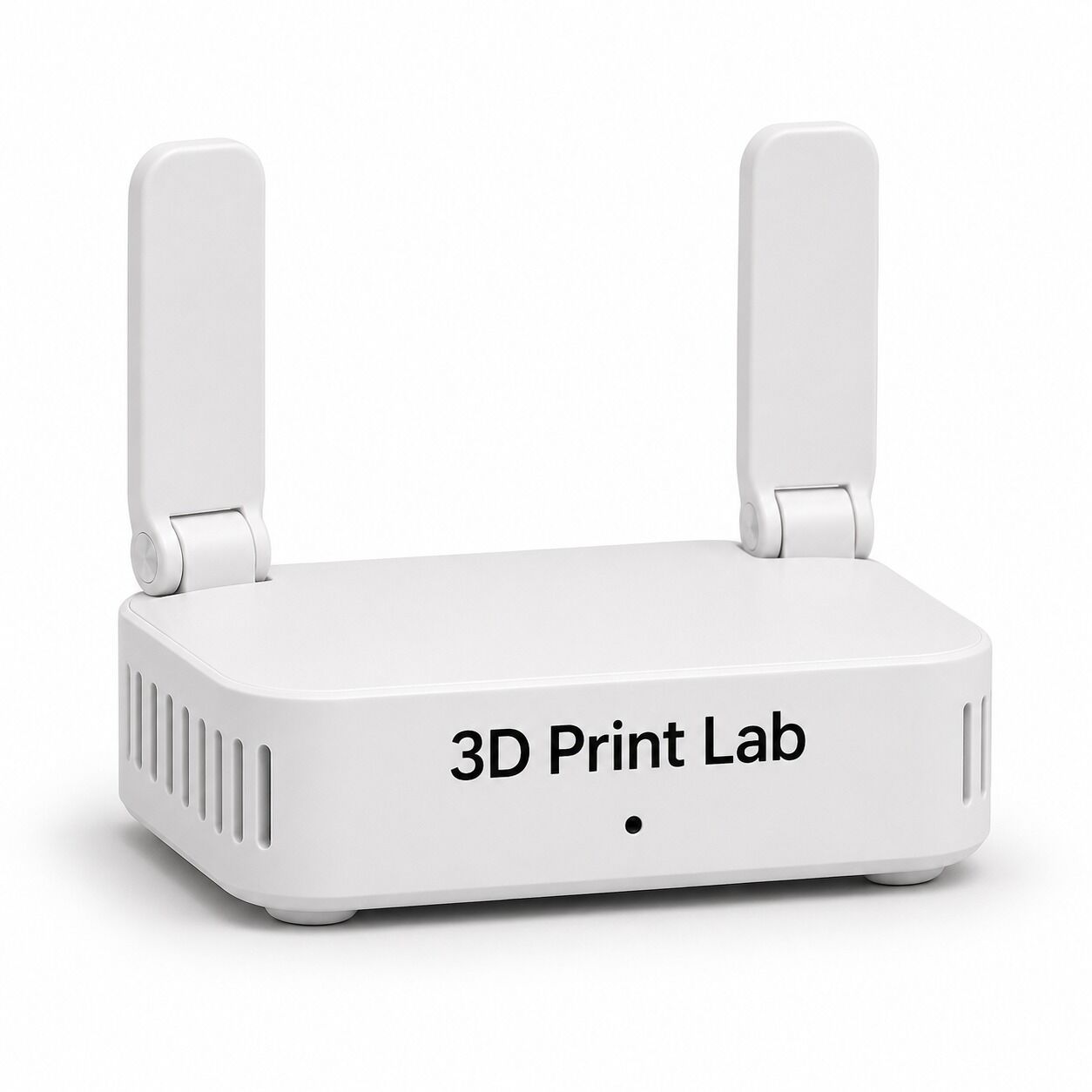
School 3D Printing LAN Hub
or 4 payments of $99.75 with
 Info
School, Government or Business Buyer?
Schools, Universities and Government
Australian schools, TAFEs, universities and government agencies can order on an official purchase order with 30-day payment terms from the invoice date. No credit application is needed.
- Get a quote. Add what you need to your cart and create a quote. It is emailed to you instantly as a PDF, with delivery included.
- Send your purchase order. Raise it against the quote number and email it to admin@3dprintergear.com.au.
- We ship and invoice. Your tax invoice shows your PO number and is payable within 30 days.
Add the products you want to your cart first, then use the button above. Full details: how schools and government order and our Payment Terms, or call us on 1300 334 327.
Resellers
We offer special pricing to genuine resellers. Once your application is approved, your reseller prices show on the website when you log in. To apply, email admin@3dprintergear.com.au.
Your Order Qualifies for Free Shipping! - FREE
Your order will be shipped by the most economical option, with online tracking. Delivery is usually 2-7 business days.
Free Pick-Up From Store - FREE
- Photo ID Required For All Pickup Orders
- Free pick-up from '781 High St, Reservoir VIC 3073', during opening hours
- Call Us 1300 334 327 if Urgently Required
- Express Dispatch
- Australian Owned & Operated
- Money Back Guarantee
- Quality Assured Products
School 3D Printing LAN Hub
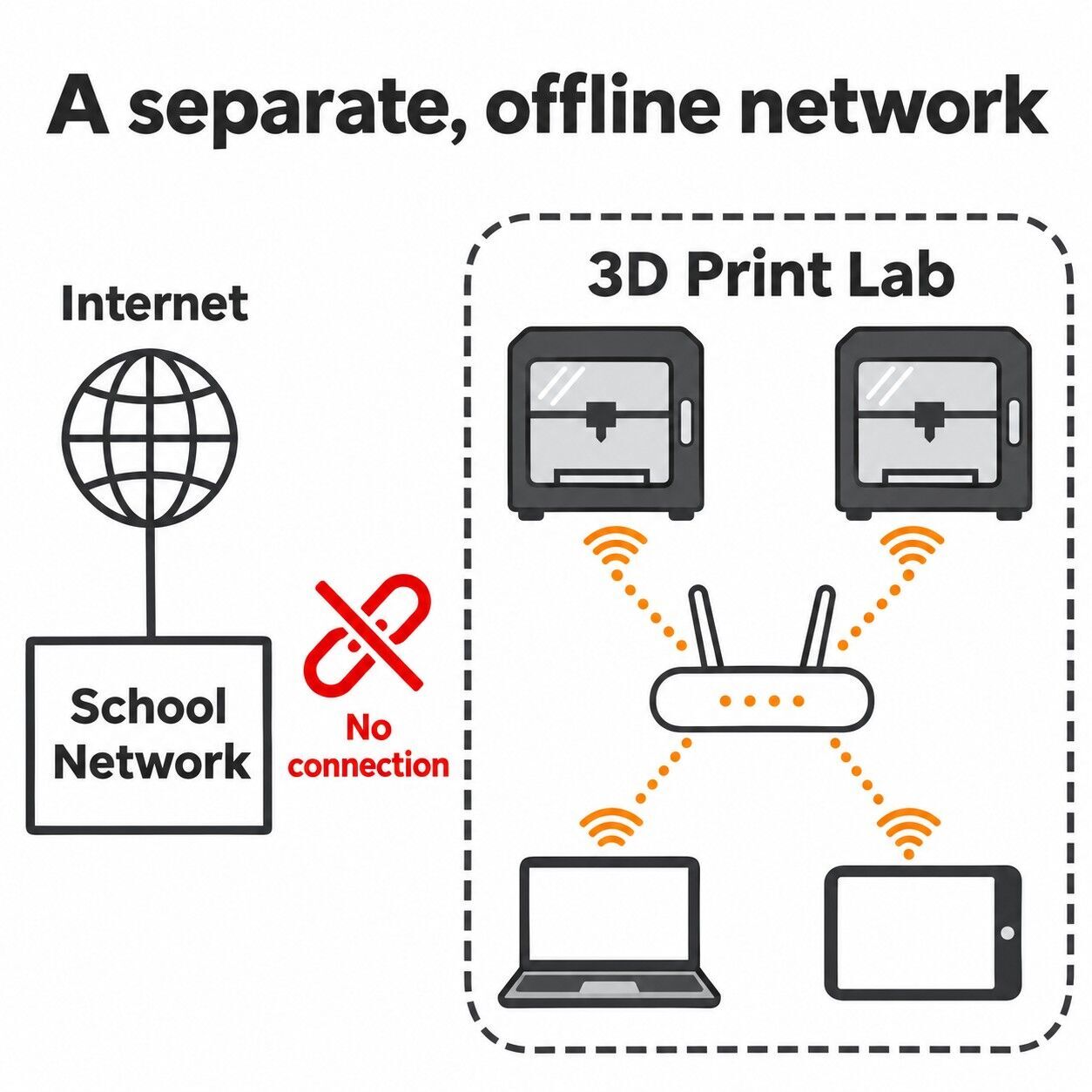
A pre-configured, offline Wi-Fi network for your Bambu Lab printers. No internet, no link to the school network, and nothing for your IT team to open up.
The Problem It Solves
Bambu Lab printers have no ethernet port and normally expect an open Wi-Fi connection, which makes them hard to fit into school networking infrastructure. Many schools end up with a printer they cannot connect, or one that is carried around on a USB stick. The LAN Hub gives the printers their own small network instead, so they never need to touch yours.
How It Works
The hub is a router we configure before it leaves our workshop, with no internet connection. It creates a separate, password-protected Wi-Fi network called 3D Print Lab. Your printers join it in LAN mode, and staff or students join it from a laptop running Bambu Studio.
- Start, pause and stop print jobs
- Monitor a print as it runs
- Control the machine from the laptop
- Run one printer or several on the same hub
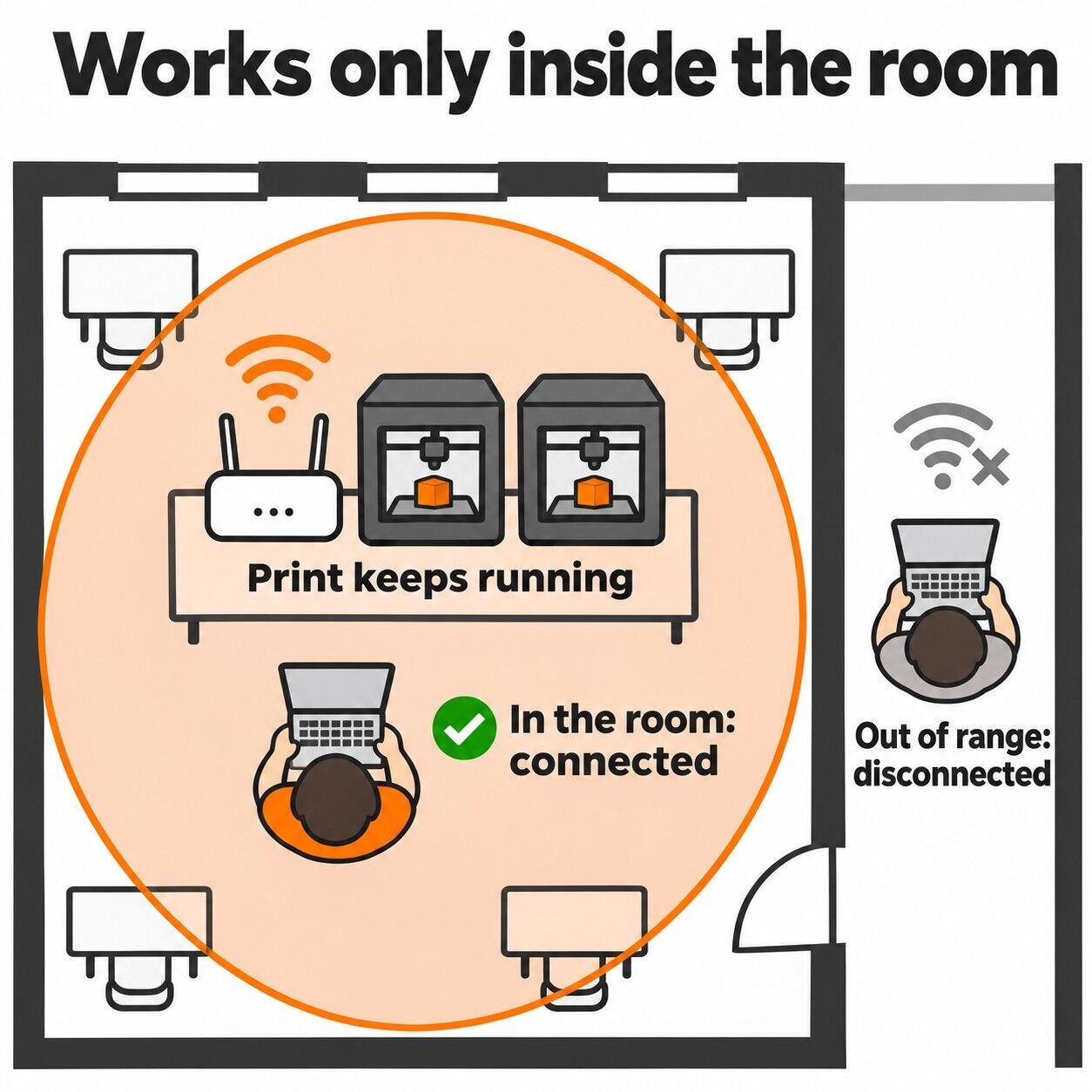
- Access only works while you are in range, in the room
- Walk out of range and your device disconnects, the printer keeps printing
Completely Offline
Built Around School ICT Requirements
The usual objection to networked 3D printers in schools is external access to the school or department network. The LAN Hub is designed around that concern: the printers and the devices controlling them sit on an isolated network with no path to the internet or to school systems.
Every school and department sets its own ICT policy, so we supply a one-page network summary with each hub for your IT team to review and sign off.
Choose Your Package
Key Details
Good to Know
- While a laptop is on the 3D Print Lab Wi-Fi it has no internet access, so slice or download models first, then connect to print
- Cloud features such as remote monitoring from outside the room are not available, by design
- Printer firmware updates are done offline, and we can help with these at service time
The LAN Hub isolates your 3D printers from the school network and the internet. It is not a departmental approval of any printer or software. Please confirm with your school or department ICT team that the setup meets your local policy. Bambu Lab and Bambu Studio are trademarks of their owner.
(75567)
| SKU | 75567 |
| Brand | 3DPG |
| Shipping Weight | 0.4000kg |
| Shipping Width | 0.120m |
| Shipping Height | 0.070m |
| Shipping Length | 0.160m |
Be The First To Review This Product!
Help other 3DPrintergear users shop smarter by writing reviews for products you have purchased.